AI Reading Email and Triggering Workflows: How to Prevent Wrong Actions
Design safe AI email workflows with sender verification, structured extraction, business rules, human approval, idempotency, and audit trails.


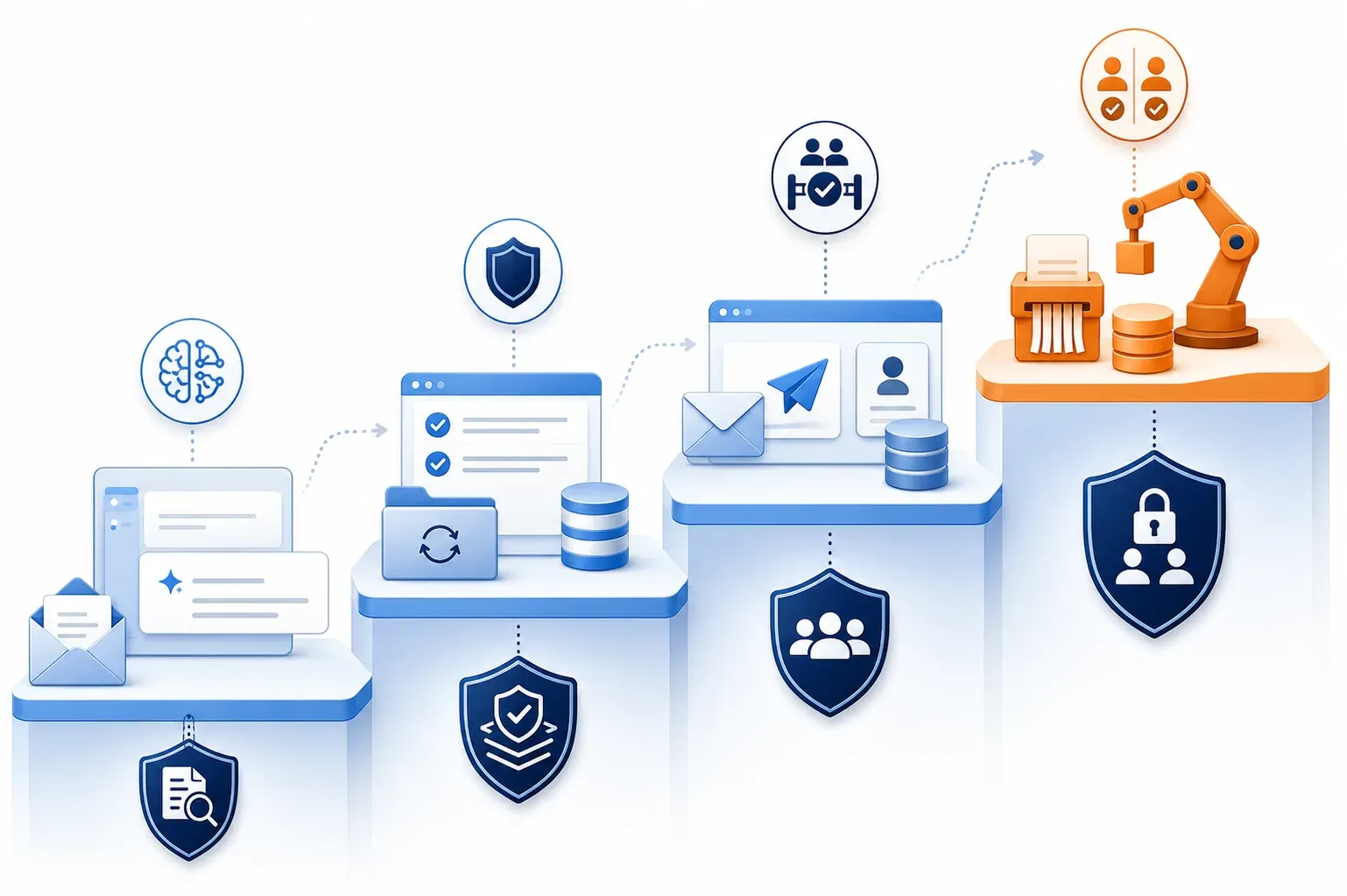
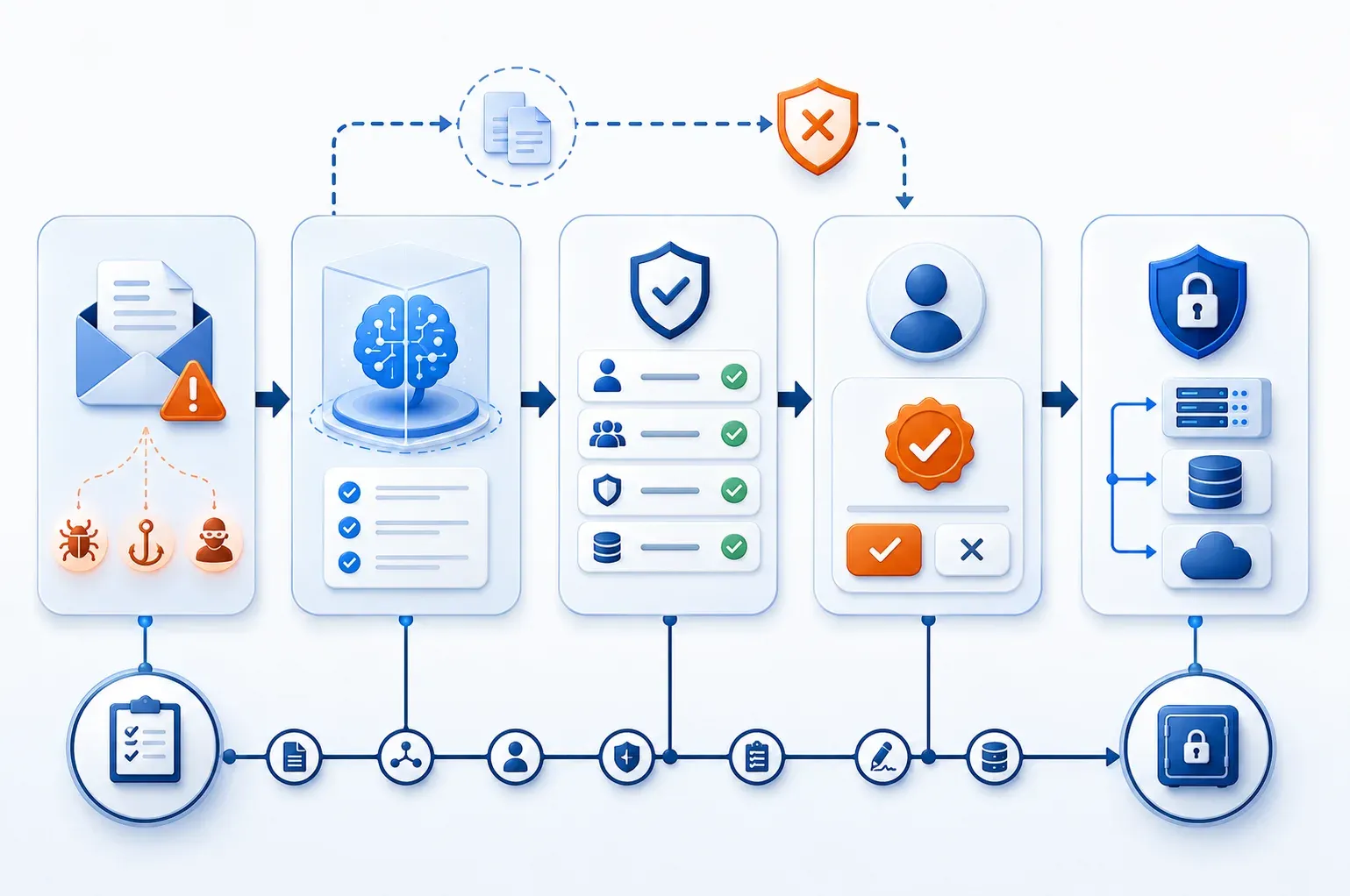
Do not let an AI system read an email and turn its interpretation directly into an action. A safe architecture gives AI one job: extract structured data. Deterministic business rules verify identity, data, and conditions, while high-impact tasks pass through an independent policy or approval gate. Every execution needs an idempotency key, an audit trail, and fail-closed behavior.
Email is untrusted input. Senders can be spoofed, messages can omit required data, attachments can carry distracting instructions, and queues can redeliver the same event. Model confidence must never become business authority.
The problem
A legitimate email can still cause the wrong action
The dangerous gap sits between understanding content and granting execution authority.
Clear wording does not make an email sufficient evidence to update a CRM, send a quote, create a payment, or delete data. AI may classify intent correctly yet extract the wrong amount, select the wrong customer, miss a condition, or follow hidden instructions in content or attachments. Webhook, IMAP, and queue retries can also execute one request twice.

Design principle
AI may propose intent and data; an independent policy system decides whether an action is permitted.
Trust boundary
Treat email as data, not instructions
External content must not alter system prompts, policies, or tool calls.
Keep raw email, HTML, links, and attachments in an untrusted processing zone. Normalize MIME, scan for malware, enforce size limits, remove active content, and send only necessary data to AI. The prompt must state that email content is evidence to analyze, even when it claims to contain administrative instructions.
Require AI output to match a closed JSON Schema with allowed fields, data types, enums, length limits, and missing or ambiguous flags. Reject unknown fields. Never let the model invent tool names, endpoints, SQL, or privileged parameters. Store raw input and structured output separately for investigations, with PII and secrets masked under retention policy.

Identity
Authenticate the sender without blindly trusting them
SPF, DKIM, and DMARC reduce spoofing; they do not authorize a business request.
Read Authentication-Results created by a trusted mail system and evaluate SPF, DKIM, DMARC, and domain alignment. Do not trust self-declared headers. Map the sender to an internal directory, tenant, role, and permitted scope. A real account can still be compromised, so anomalies and sensitive requests must be blocked or escalated.
Identity gate
Four minimum checks
Proceed to decision only when both source and scope are known.
Authentication
SPF, DKIM, DMARC, and alignment meet policy.
Directory mapping
The sender maps to an approved employee or partner identity.
Authorization
The role may request this action for this tenant.
Anomaly
Reply-to, behavior, and transaction value are not suspicious.
Risk tiers
Control by impact, not AI confidence
Confidence may help routing; the action tier determines execution authority.
Reading, tagging, and drafting can be automated when data is complete. Reversible internal updates may run within strict limits. External communication, customer-data changes, bookings, expense approval, permission changes, and irreversible operations need stronger controls.
Create an action registry for every tool: owner, risk tier, required data, value limits, requester role, approver role, rollback capability, TTL, and fail-closed policy. Never select tools dynamically from an action name generated by the model.

Three controls
Separate understanding, decision, and execution
Each layer needs distinct responsibility, authority, and logs.
Layer one, AI extraction, returns structured data and missing or ambiguous flags. Layer two, the policy engine, runs deterministic schema, identity, tenant, limit, object-state, and business-rule checks. Layer three, the execution gateway, accepts only a signed command or valid approval token.
Control model
Do not use one AI step for all three roles
Separation prevents one-layer errors from automatically becoming business impact.
Extract
AI has no write credential for target systems.
Decide
Policy as code returns allow, review, or deny.
Execute
The gateway uses least privilege and an action allowlist.
Approval
Bind human approval to the exact transaction
A generic Approve button does not secure a sensitive action.
The approval view should show the verified sender, relevant source evidence, before-and-after changes, target system, expected effect, and escalation reason. Bind the approval token to the payload hash, action, resource, approver, expiry, and one-time use. Any payload change invalidates the approval.
Use maker-checker controls for finance, permissions, deletion, and broad-scope actions. The approver needs authority independent from the requester. If the approval channel fails, identity is uncertain, or policy is unavailable, move the work to manual review instead of allowing it.

Safe execution
Prevent duplicate side effects and preserve evidence
Retries are normal; repeated side effects are not.
Build a stable idempotency key from tenant, message identity, action, and resource. Persist IN_PROGRESS, SUCCEEDED, or FAILED with a unique constraint. Workers must handle concurrency, return the prior successful result for duplicates, and never repeat a completed side effect. Forward the same key when the target API supports idempotency.
Audit
Log enough to reconstruct the decision
The audit trail must connect the email to every decision and side effect.
Correlation
Message ID, event ID, trace ID, and idempotency key.
Decision
Schema, model, prompt, rule versions, and policy result.
Approval
Approver, payload hash, timestamp, and authentication method.
Execution
Target, request fingerprint, result, retries, and rollback.
Operations
Measure wrong actions, not only AI accuracy
A safe workflow needs SLOs and alerts for both decisions and execution.
Track false-action rate, duplicate-block rate, human-review rate, approval-rejection rate, policy-deny rate, missing-field rate, time to decision, and fail-open events. Fail-open must remain zero for sensitive actions. Test spoofed senders, attachment prompt injection, missing payloads, replay, concurrent delivery, policy timeout, and expired approval.
FAQ
Frequently asked questions
Common decisions when introducing email-driven automation.
Can high confidence permit automatic execution?
No. Confidence does not replace identity, authorization, or business rules.
Are passing SPF, DKIM, and DMARC enough?
No. They support source authentication, not business authorization.
Which tasks can be fully automated?
Low-risk, complete, reversible, limited, allowlisted tasks.
When is approval mandatory?
For external, financial, permission, important-data, or hard-to-reverse actions.
Is n8n enough?
It can orchestrate, but policy, secrets, idempotency, and audit need durable design.
Checklist
Start with one small, constrained workflow
Prove the controls before expanding automation authority.
Choose one mailbox, one email type, one low-risk action, and one owner. Run in shadow mode to compare recommendations with real decisions, then enable draft-only behavior, followed by execution under a small limit. Expand authority only after replay, approval, rollback, tenant-isolation, and audit tests meet defined gates.
FlowNexa
Design controlled email workflows
FlowNexa helps classify actions, build policy gates, approvals, idempotency, audit, and n8n orchestration by risk tier.
Assess
Identify mailboxes, actions, owners, and data boundaries.
Design
Separate AI extraction, policy decisions, and execution.
Deliver
Run shadow mode, test failures, and expand from evidence.