From On-Premises to Microsoft 365: A Safe Email and Cloud Migration Roadmap for SMEs
A practical roadmap for SMEs moving business email, domains, identity, and infrastructure from on-premises systems to Microsoft 365 with less risk and disruption.


Many SMEs still operate email on internal servers, legacy hosting, or a platform managed by a small provider. Accounts are often created manually, data is spread across file servers, remote access depends on VPN, and backups may never have been tested. The environment can appear stable for years, but risk becomes visible during growth, staff changes, or incidents.
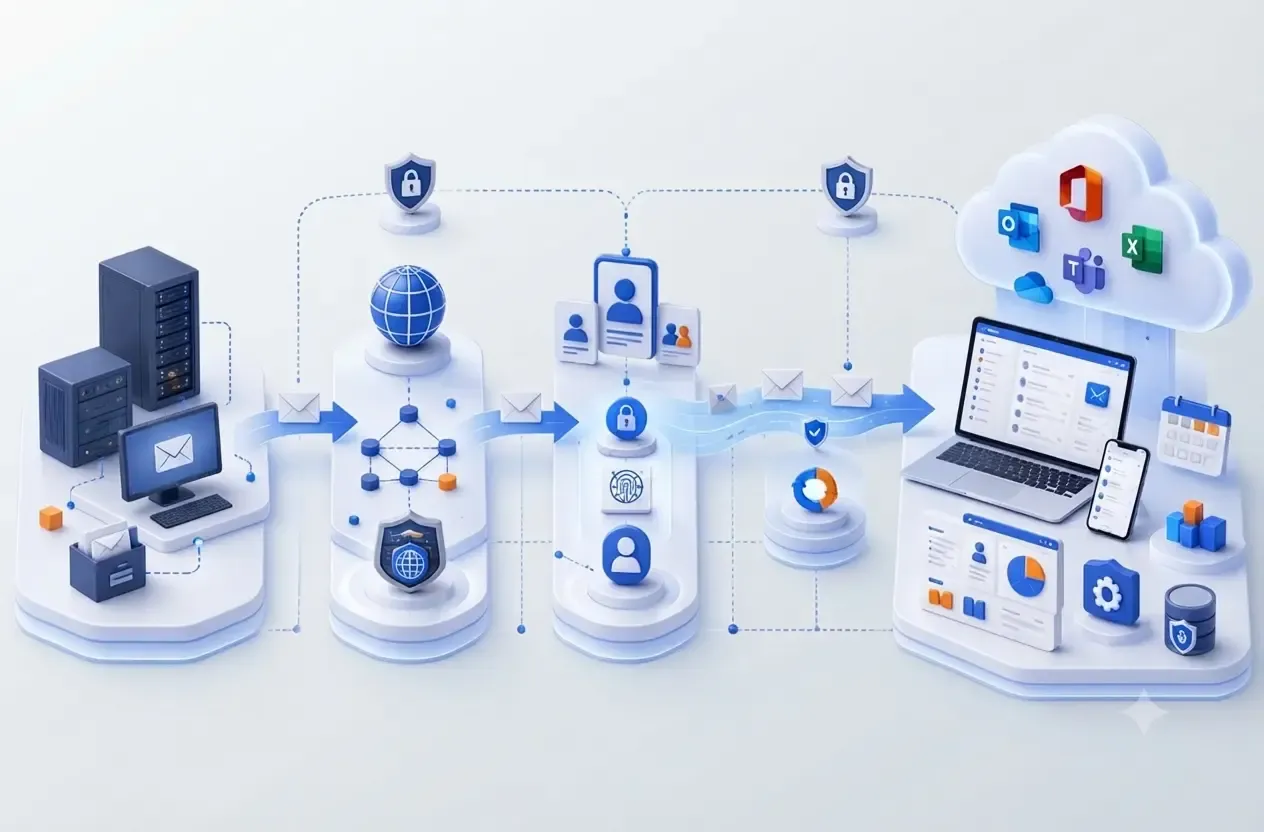
Moving to Microsoft 365 is not just creating new mailboxes and changing MX records. A safe program must address domain ownership, DNS, email data, identity, devices, permissions, sending applications, backup, and user support. The real goal is business continuity, control of company data, and a more reliable operating model.
Microsoft 365 or Office 365?
Microsoft 365 is the current name of Microsoft's business email, productivity, and collaboration suite. Many businesses still use the name Office 365. In this article, both refer to the same migration direction.
Overview
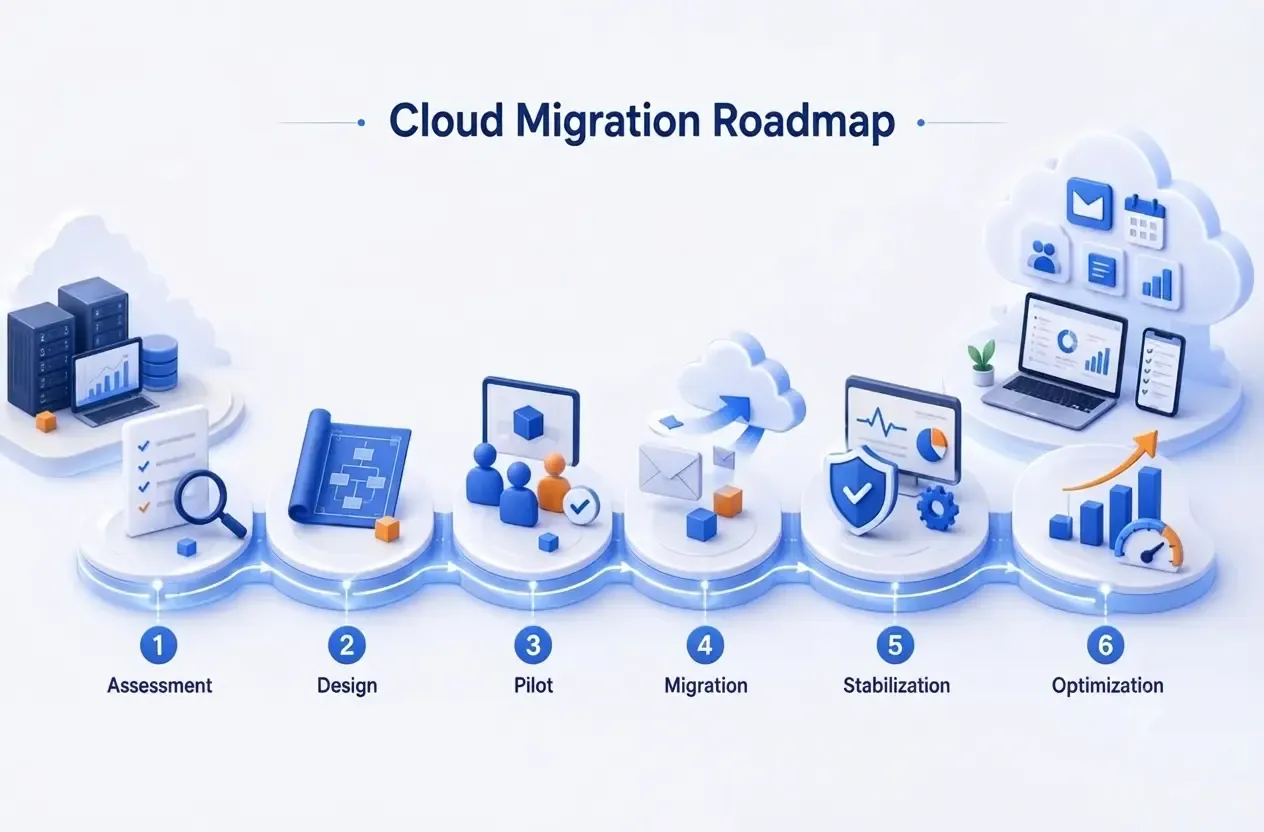
A six-phase roadmap for SMEs
Assessment → Design → Pilot → Migration → Stabilization → Optimization.

Expected outcomes
A successful migration should achieve four outcomes
These matter more than the number of mailboxes moved.
Minimal disruption
Mail flow and user productivity remain available during cutover.
Existing domain and addresses retained
The company keeps its current brand and email identity.
Stronger security and control
MFA, role-based access, audit, and centralized administration are applied.
Recoverable and supportable operations
Backup, monitoring, runbooks, and support ownership are defined.
When to migrate
Signals that the current environment no longer fits
A business should not wait for a major outage before assessing its options.
Signals
Common indicators
Multiple indicators usually justify an early assessment.
Unstable or capacity-limited email
The current platform no longer supports business growth.
Manual account administration
Onboarding, offboarding, and permission changes are slow or error-prone.
Distributed or hybrid work
Traditional VPN access creates friction and risk.
Unclear ownership of backup or infrastructure
Registrar, tenant, DNS, or recovery responsibilities are not well defined.
Legacy systems approaching end of support
Maintenance cost and security exposure continue to rise.
Phase 1
Assess the current state before choosing licenses or a migration date
Assessment prevents missing data, incorrect licensing, and late discovery of dependencies.
The minimum inventory should cover domains and registrars, DNS zones, mailboxes, aliases, shared mailboxes, distribution lists, mailbox sizes, Outlook and mobile devices, file shares, PST files, service accounts, forwarding rules, and retention requirements.
A dependency map is equally important. Websites, CRM, accounting software, scanners, NAS devices, cameras, and alerting systems may depend on SMTP relay or LDAP. If these are not identified, they may fail immediately after mail flow changes.

Assessment
Six questions that must be answered
These inputs drive tenant design, licensing, and migration planning.
What is the current email source?
Exchange Server, hosted mail, cPanel, IMAP, Google Workspace, or a mixed environment.
How many users actually need licenses?
Separate users, shared mailboxes, aliases, service accounts, and former employees.
How large and complex is the data?
Large mailboxes, PST files, corrupt items, and complex folders affect duration.
Which systems depend on SMTP or directory services?
Each needs a relay or modern-authentication replacement path.
What retention and compliance rules apply?
Define what must be retained, for how long, and who may restore it.
How much downtime is acceptable?
Clarify RTO, RPO, and the right cutover window.
Phase 2
Design the tenant, domain, identity, and licensing model
Identity and ownership should be decided before moving mailboxes.
The Microsoft 365 tenant should remain under business control. Domain, registrar, DNS, and administrative access should not depend entirely on one person or service provider. Privileged accounts should be separated from daily email accounts, and Global Administrator assignments should be limited.
Baseline
Controls to establish before rollout
These become the foundation for long-term operations.
MFA for all users
Use strong authentication methods and a controlled enrollment process.
Separate privileged accounts
Reduce impact if a normal mailbox is compromised.
Least privilege
Assign task-based roles instead of broad Global Administrator access.
Standard onboarding and offboarding
Handle licenses, groups, mailboxes, devices, and access through checklists.
Audit and administration alerts
Monitor suspicious sign-ins, privilege changes, and sensitive actions.
Licenses should be selected by user persona rather than assigning one plan to the entire company. Employees who only need email and web apps have different requirements from users who need desktop Office, device management, or advanced identity protection. A persona-based design balances cost, security, and operations.
Licensing principle
The cheapest plan does not always produce the lowest total cost. Missing security, device-management, or support capabilities can create higher downstream risk and expense.
Phases 3–4
Pilot, migrate, and cut over with control
The pilot must validate data, devices, permissions, Outlook, mobile access, and dependent applications.
The migration method depends on the source. IMAP usually transfers email only, while Exchange-based migrations can preserve more data and permissions. PST files should be checked for corruption, duplicates, and storage location before import.
The pilot group should represent real complexity: large mailboxes, multiple devices, shared mailboxes, managers, and teams that depend on line-of-business applications. The pilot is complete only when sign-in, MFA, Outlook, mobile, calendars, delegation, scanners, website forms, and SMTP relay all work correctly.

Cutover
Minimum cutover checklist
Every task needs an owner, evidence, and a rollback path.
Lower DNS TTL before cutover
Do it early enough for MX and Autodiscover changes to propagate quickly.
Run the final synchronization
Confirm the change freeze and delta migration.
Update MX and Autodiscover
Proceed only after tenant and mailbox readiness is confirmed.
Configure SPF, DKIM, and DMARC
Inventory all legitimate senders before enforcing a strong policy.
Test mail flow
Include internal, external, aliases, shared mailboxes, and attachments.
Activate hypercare
Prepare user guidance and an escalation channel for the first days.
Email security
SPF, DKIM, and DMARC require a complete sending-source inventory
Do not enable DMARC reject before websites, CRM, marketing systems, e-invoicing, and internal applications are identified.
SPF identifies authorized sending systems; DKIM signs messages so recipients can verify integrity; DMARC aligns authentication results with the visible domain and provides reporting. A safe rollout starts with observation, remediation of legitimate senders, and gradual enforcement.
Phases 5–6
Stabilize and optimize after migration
Migration is complete only when the new platform is operable, observable, and recoverable.
After cutover, monitor mail flow, sign-ins, MFA registration, forwarding rules, mailbox permissions, quarantine, and support tickets. Changes should be recorded in runbooks rather than applied informally without history.
Retention, recycle bins, and backup are not the same. The business must define data scope, retention duration, restore procedures, and periodic restore tests. Any statement that data is backed up should be supported by recovery evidence.

Operations
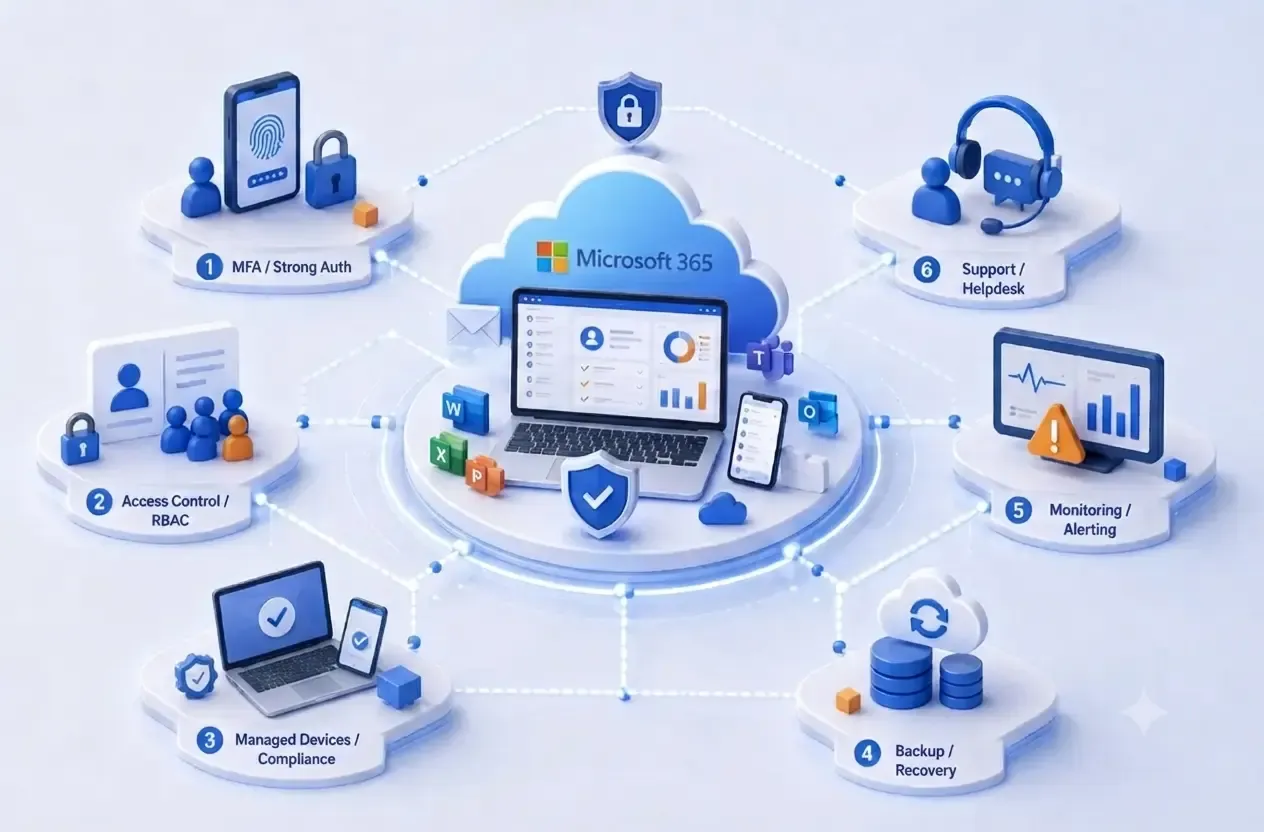
Post-go-live operating model
Cloud services require continuous governance, not one-time setup.
MFA and access control
Maintain least privilege and review permissions regularly.
Managed devices
Track compliance and the health of endpoints accessing company data.
Backup and recovery
Test restores on schedule and retain evidence.
Monitoring and alerting
Watch suspicious sign-ins, mail flow, and sensitive changes.
Support and lifecycle
Manage tickets, license utilization, onboarding, and offboarding.
Risks
Five mistakes that make migration more expensive
Most incidents result from missing inventory, ownership, and validation.
Warnings
Mistakes to avoid
Assessment and pilot activities reduce these risks significantly.
Changing MX too early
This can cause disruption or missing mail.
Ignoring SMTP-dependent applications
Websites, scanners, ERP, and accounting tools may stop sending.
Migrating unclean account data
Duplicates, invalid aliases, and former-user accounts remain.
Operating without a rollback plan
The team loses time deciding what to do during an incident.
Allowing a provider to own the tenant or registrar
The business may lose control when changing partners.
FlowNexa
Solutions, licensing, and support by phase
FlowNexa can begin with domain-based business email and expand into data, identity, endpoints, and Cloud infrastructure.
Services
Three delivery models
The scope can match the current environment and business priorities.
Licensing and tenant advisory
Microsoft 365 plans, tenant, domain, DNS, and administration baseline.
Migration project
Assessment, pilot, batch migration, cutover, validation, and handover.
Managed support
Tenant, users, licenses, security, tickets, and controlled changes after go-live.
FlowNexa's view
A successful migration is not measured by mailbox count. It is measured by business continuity, control of company data, and the ability to operate securely after handover.
FAQ
Frequently asked questions
These answers help SMEs define the initial scope.
FAQ
Quick answers
Final details depend on the source platform and selected licensing.
Must the business change its domain?
No. The existing domain can remain in use with the required DNS updates.
Will old email be lost?
It should not be lost when assessment, pilot, and reconciliation are done correctly.
Must users change email addresses?
Not necessarily, if the current domain and naming model remain suitable.
Will downtime last all day?
Pre-staging and planned cutover usually reduce downtime significantly.
Does Microsoft 365 replace backup?
It should not be assumed to; retention, restore, and backup must be designed separately.
Does FlowNexa support the environment after migration?
Support can cover tenant, users, DNS, security, tickets, and changes.
FlowNexa Cloud & Microsoft 365
Start with a current-state assessment
FlowNexa reviews domain, email, mailboxes, dependencies, licensing, and migration risk before proposing the right roadmap.
Book a Microsoft 365 consultation
Discuss objectives, timeline, budget, and support requirements.
Request a migration assessment
Receive recommendations for tenant, licensing, pilot, cutover, and post-go-live operations.