Too Many Manual Processes? How to Design Custom Workflow Automation
A practical framework for selecting processes and designing n8n workflows with business rules, AI, approvals, error handling, audit logs, and measurable KPIs.

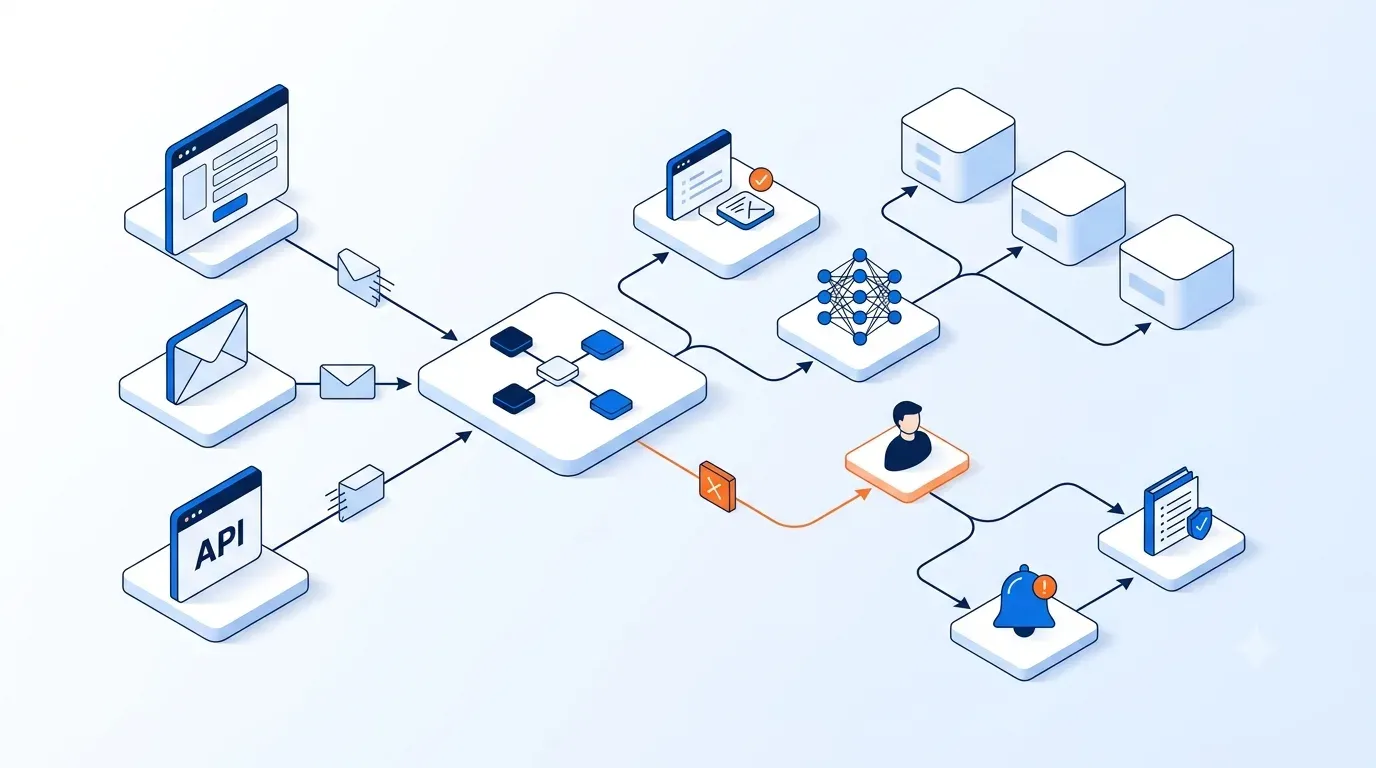
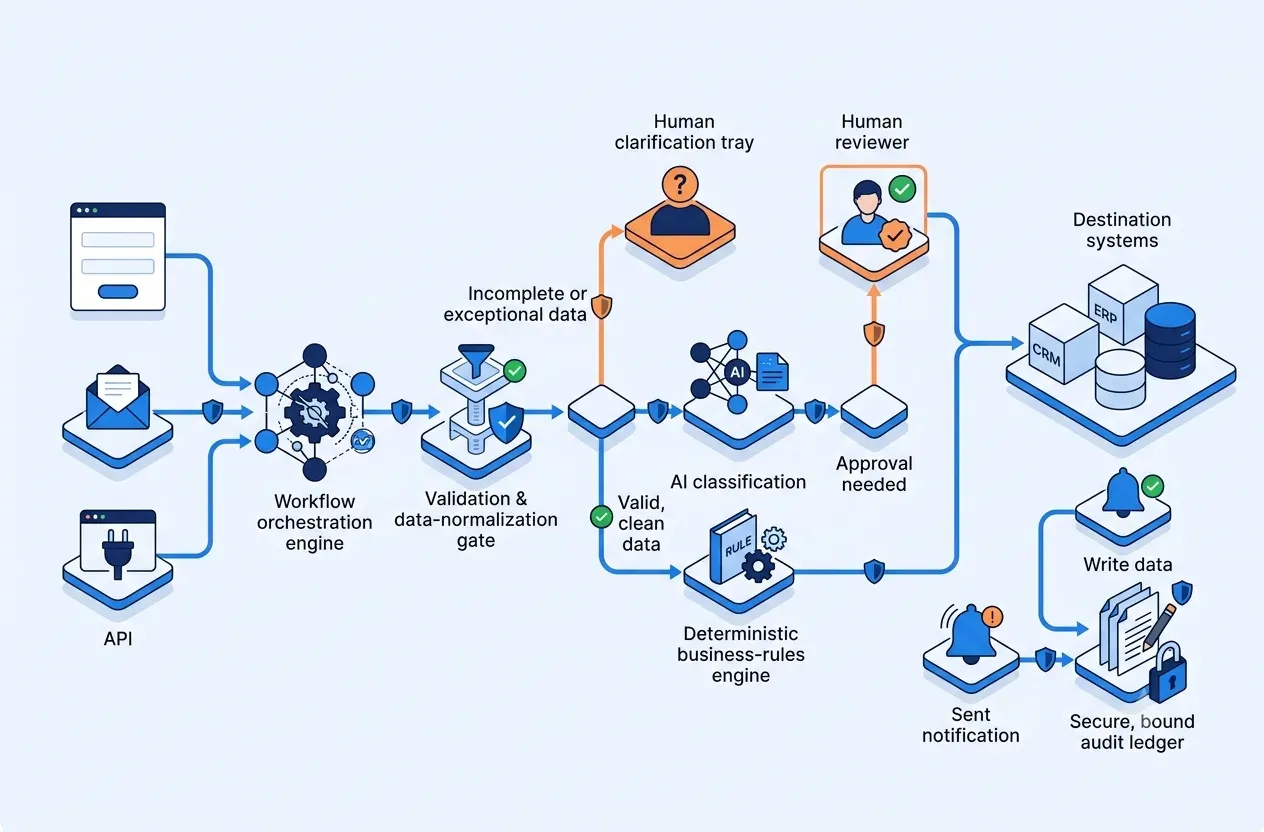
Custom workflow automation should not begin with “Which tool should we use?” It should begin with “Which decisions can be standardized, which data can be trusted, and which failures require a person?”. For most businesses, a sound flow receives data from a form, email, or API; validates and normalizes it; applies business rules or AI; requests approval when risk exceeds a threshold; then updates the destination system, sends notifications, and records an audit trail.
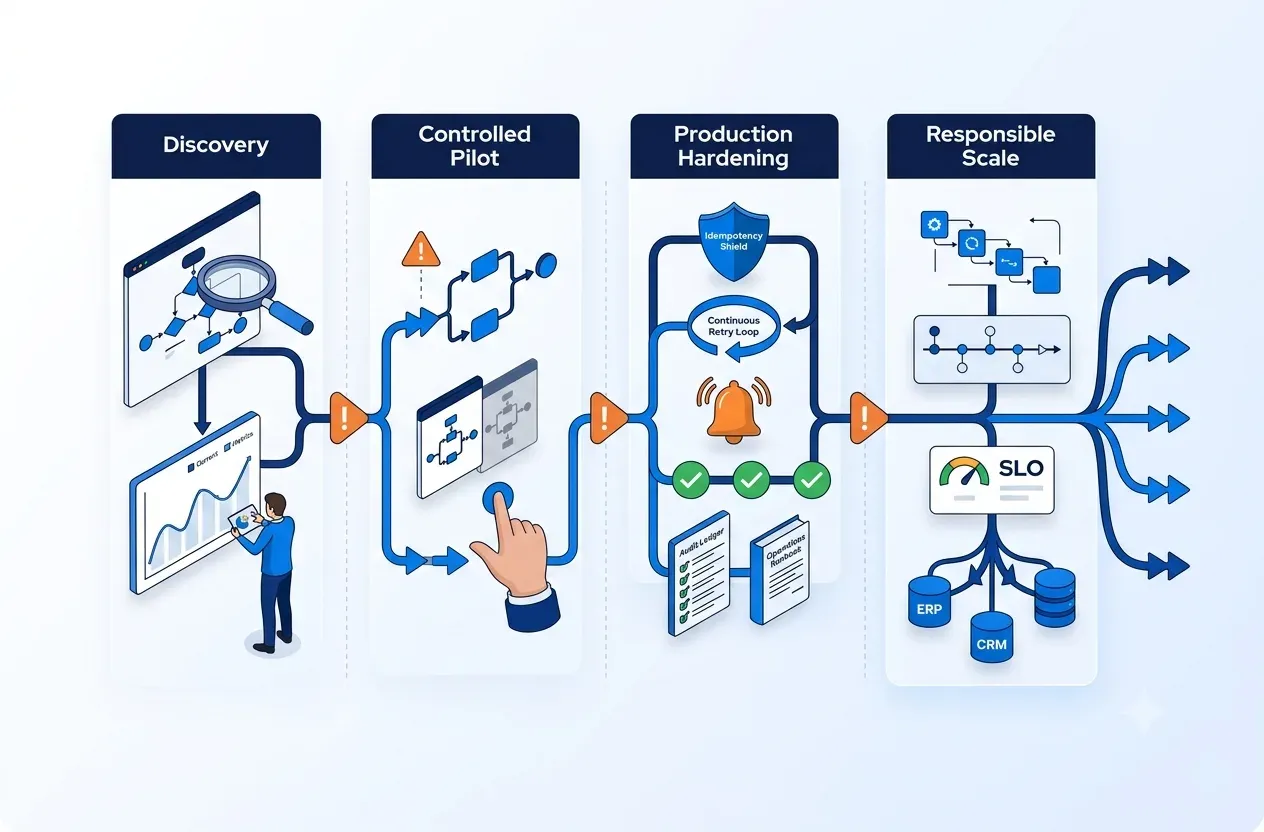
The short answer: choose a frequent process with digital inputs, verifiable outcomes, and a clear owner. Model states before dragging nodes onto a canvas; separate deterministic rules from AI; put humans before hard-to-reverse actions; and design idempotency, retries, and auditability from day one. n8n then becomes the orchestration layer—not a place to hide an undefined process.
Start well
Not every manual process should be automated
Prioritize repeatable value where operational risk can be controlled.
A slow manual task is not automatically a good candidate. If the process changes weekly, inputs are unstructured, or nobody owns the final decision, automation will simply make errors move faster.
Score each process on six factors: frequency; handling time; error or rework rate; input digitization; output verifiability; and impact of a wrong action. Strong candidates often include reconciliation, request intake, ticket classification, approval reminders, CRM/ERP/PMS synchronization, scheduled reporting, and event-driven notifications.